> ## Documentation Index
> Fetch the complete documentation index at: https://kleros-mintlify-6ebc7975.mintlify.site/llms.txt
> Use this file to discover all available pages before exploring further.
# Escrow
> Kleros Escrow secures blockchain payments between strangers with smart contracts and decentralized arbitration, supporting ETH and ERC-20 tokens.
 # Escrow
**Kleros Escrow** is a decentralized escrow platform that secures blockchain transactions between untrusted parties. It combines smart contract automation with Kleros' decentralized arbitration system to provide trustless transaction security for digital commerce.
Traditional online transactions require trust between strangers, creating opportunities for fraud and disputes. Kleros Escrow eliminates this trust requirement by securing funds in smart contracts and delivering decentralized arbitration through Kleros Court when agreements fail.
***
## V1 - Production Protocol
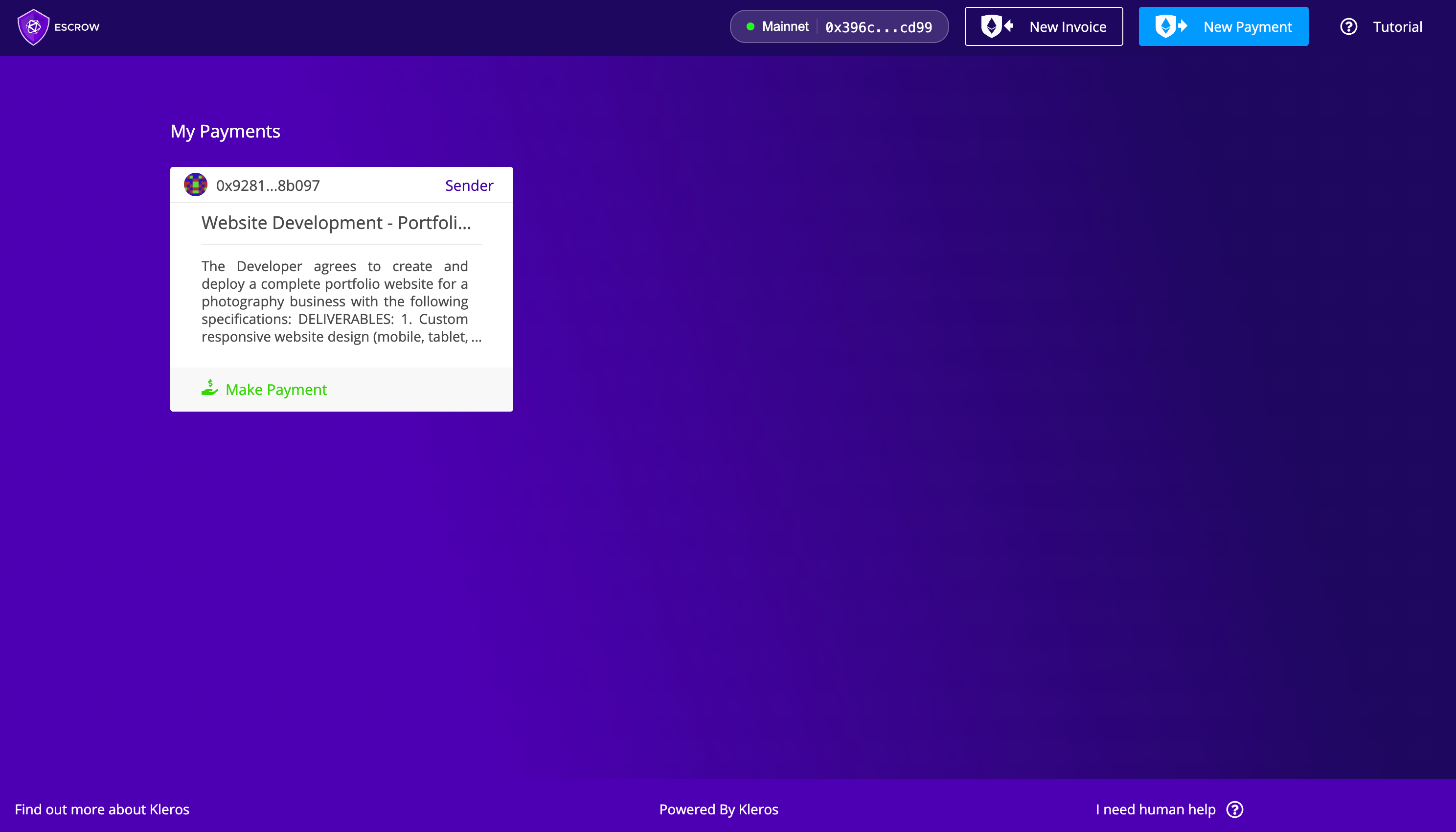
Escrow V1 runs on Ethereum Mainnet. Two parties lock funds in a smart contract, with Kleros Court available as the dispute resolution mechanism if they disagree.
* **Network**: Ethereum Mainnet
* **Model**: Two-party escrow with basic settlement
* **Tokens**: ETH and standard ERC-20 tokens (non-standard tokens such as USDT are not supported)
* **Evidence & appeals**: Handled by the escrow contract
***
## V2 - Next-Gen Upgrade
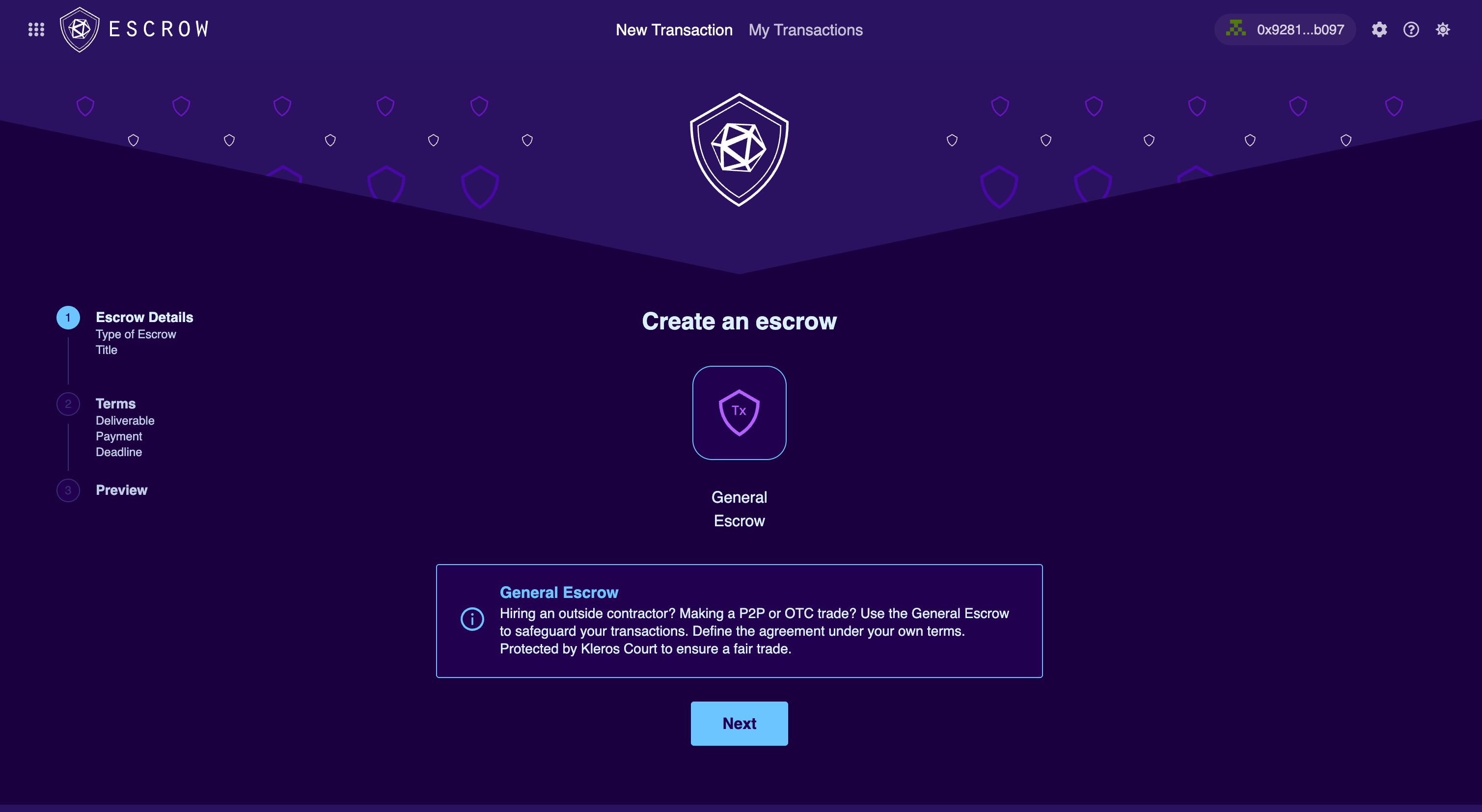
Escrow V2 runs on Arbitrum and adds structured settlement negotiation, multi-token support (ETH, USDC, USDT, DAI, or any ERC-20 via `SafeERC20`), and moves evidence and appeal handling to the Court.
# Escrow
**Kleros Escrow** is a decentralized escrow platform that secures blockchain transactions between untrusted parties. It combines smart contract automation with Kleros' decentralized arbitration system to provide trustless transaction security for digital commerce.
Traditional online transactions require trust between strangers, creating opportunities for fraud and disputes. Kleros Escrow eliminates this trust requirement by securing funds in smart contracts and delivering decentralized arbitration through Kleros Court when agreements fail.
***
## V1 - Production Protocol
Escrow V1 runs on Ethereum Mainnet. Two parties lock funds in a smart contract, with Kleros Court available as the dispute resolution mechanism if they disagree.
* **Network**: Ethereum Mainnet
* **Model**: Two-party escrow with basic settlement
* **Tokens**: ETH and standard ERC-20 tokens (non-standard tokens such as USDT are not supported)
* **Evidence & appeals**: Handled by the escrow contract
***
## V2 - Next-Gen Upgrade
Escrow V2 runs on Arbitrum and adds structured settlement negotiation, multi-token support (ETH, USDC, USDT, DAI, or any ERC-20 via `SafeERC20`), and moves evidence and appeal handling to the Court.
 ***
## What Changed in V2
| Feature | V1 | V2 |
| ------------------ | -------------------------- | -------------------------------------- |
| Network | Ethereum Mainnet | Arbitrum One |
| Token support | ETH + standard ERC-20 | ETH + any ERC-20 (via SafeERC20) |
| Settlement | Basic | Structured proposal / counter-proposal |
| Evidence & appeals | Handled by escrow contract | Handled by Court |
| Platform fees | None | None |
***
## Current Status
As of the May 2026 development update, Escrow completed its Atlas IPFS migration, with UX improvements to the agreement upload step.
Follow development on the [Kleros blog - developer updates](https://blog.kleros.io/tag/developer/).
***
## Key Capabilities
Funds secured in smart contracts before service delivery
Structured negotiation process for partial disputes
Pay with ETH, USDC, USDT, DAI, or any ERC20 token
Kleros Court resolves disputes when agreements fail
Completely free to use-only pay network gas fees
Smart contracts automatically execute rulings
***
## How It Works
Buyer creates escrow transaction specifying seller, amount, deadline, and terms.
Payment is secured in the smart contract using ETH or chosen token.
Seller provides agreed service/product before the specified deadline.
Transaction concludes through payment, settlement, manual deadline execution, or arbitration.
***
## Resolution Mechanisms
Kleros Escrow V2 provides multiple ways to resolve transactions:
**When parties fully agree**
* **Full Payment**: Buyer releases entire amount to seller when satisfied
* **Full Refund**: Seller returns entire amount to buyer if unable to deliver
* **Partial Transactions**: Either party can process partial amounts for completed portions
**When parties partially disagree**
The structured negotiation process:
1. **Proposal**: Either party proposes a settlement amount
2. **Counter-Proposal**: Other party can propose a different amount
3. **Agreement**: When one party accepts, funds distribute automatically
4. **Escalation**: If no agreement after timeout, either party can raise a dispute
Proposing a settlement does NOT transfer funds. Money only moves when one party explicitly accepts the other party's proposal.
**When deadline passes**
After the deadline, anyone can trigger execution to transfer remaining funds to the seller if:
* No active disputes exist
* No settlement negotiations are pending
* The deadline has elapsed
This requires a manual transaction call-it is NOT automatic. Any address can trigger it once conditions are met.
**When settlement fails**
1. **Fee Payment**: Both parties pay arbitration fees within timeout
2. **Evidence Submission**: Parties submit supporting evidence
3. **Jury Selection**: Kleros randomly selects impartial jurors
4. **Ruling**: Jury decides outcome based on evidence
5. **Enforcement**: Smart contract automatically executes ruling
Arbitration fees are reimbursed to the winning party. If one party fails to pay fees within the timeout, the paying party wins automatically.
***
## V2 Improvements
| Feature | Description |
| --------------------------- | --------------------------------------------------------- |
| **Universal Token Support** | ETH, popular tokens (USDC, USDT, DAI), or any ERC20 token |
| **Automatic Safety Checks** | System validates token compatibility |
| **Structured Settlement** | Formal proposal/acceptance with clear transfer rules |
| **Settlement Protection** | Timeout period prevents rushed arbitration |
| **Streamlined Disputes** | Automatic refunds for overpayment, clear timeout logic |
### Token Selection
Select ETH, pick from popular tokens, or enter a custom token address
System verifies the token works with Escrow
Enter your amount and proceed with the transaction
Token transactions may have maximum amount caps set by governance for risk management.
***
## Use Cases
A marketing agency and client use escrow for a social media campaign. If the client is partially satisfied, they can propose a settlement amount. The agency can accept, counter-propose, or proceed to dispute resolution.
Traders exchanging ETH for assets on other blockchains use escrow for security. One party locks ETH while the other transfers external assets. If issues arise, parties can negotiate or use dispute resolution.
A company hires a developer for a web application. The developer works knowing payment is secured, while the company can test the deliverable and release payment, negotiate, or dispute if necessary.
An artist sells custom artwork to a collector through escrow. The buyer has until the deadline to inspect. If there are quality concerns, the buyer can propose partial payment or raise a dispute.
***
## Cost Structure
| Cost Type | Amount |
| ----------------- | ------------------------------------------------------------------ |
| **Platform Fees** | **Free** - Kleros Escrow V2 has no platform fees |
| **Network Fees** | Standard blockchain gas fees for transactions |
| **Dispute Costs** | Arbitration fees only if you raise a dispute (refunded if you win) |
The settlement negotiation feature often prevents disputes entirely by enabling parties to reach partial agreements, saving on potential arbitration costs.
***
## Benefits
* **Payment Protection**: Funds remain secure until delivery confirmation
* **Quality Assurance**: Clear recourse for non-delivery or substandard work
* **Flexible Resolution**: Settlement negotiation for partial completion
* **Fair Arbitration**: Access to impartial Kleros Court
* **Partial Payments**: Release funds incrementally as work progresses
* **Payment Guarantee**: Verified fund availability before work begins
* **Deadline Execution**: Trigger payment release after deadline passes
* **Dispute Fairness**: Equal standing with evidence-based decisions
* **Settlement Rights**: Equal ability to propose settlement amounts
* **Partial Payments**: Negotiate compensation for completed portions
* **Trust Infrastructure**: Enables commerce between unknown parties globally
* **Fraud Reduction**: Smart contract security deters scammers
* **Decentralized Arbitration**: Reduces reliance on centralized services
* **Market Efficiency**: Lower barriers for digital commerce
* **Transparency**: Open-source contracts and public dispute records
***
## Best Practices
* Set realistic deadlines (execution requires manual triggering)
* Define clear deliverables
* Keep communication records for potential disputes
* Consider milestone payments for large projects
* Verify escrow funding before starting work
* Document progress and communications
* Communicate proactively about delays
* Understand deadline implications
**For Both Parties:**
* Use detailed descriptions with clear terms and success criteria
* Keep all communication records as evidence
* Understand that settlement proposals don't transfer funds until accepted
* Consider settlement before escalating to disputes
***
## Getting Started
Use MetaMask, Rabby, or any compatible Web3 wallet
Select ETH or your preferred token
Specify counterparty, amount, terms, and realistic deadline
Transfer payment to the secure smart contract
Monitor status, then release payment, negotiate settlement, or dispute
***
## What's Next?
Start a new escrow transaction
Build escrow into your application
Learn how Kleros Court works
***
## Quick Links
Open the Escrow application
Escrow V2 deployment addresses
***
## What Changed in V2
| Feature | V1 | V2 |
| ------------------ | -------------------------- | -------------------------------------- |
| Network | Ethereum Mainnet | Arbitrum One |
| Token support | ETH + standard ERC-20 | ETH + any ERC-20 (via SafeERC20) |
| Settlement | Basic | Structured proposal / counter-proposal |
| Evidence & appeals | Handled by escrow contract | Handled by Court |
| Platform fees | None | None |
***
## Current Status
As of the May 2026 development update, Escrow completed its Atlas IPFS migration, with UX improvements to the agreement upload step.
Follow development on the [Kleros blog - developer updates](https://blog.kleros.io/tag/developer/).
***
## Key Capabilities
Funds secured in smart contracts before service delivery
Structured negotiation process for partial disputes
Pay with ETH, USDC, USDT, DAI, or any ERC20 token
Kleros Court resolves disputes when agreements fail
Completely free to use-only pay network gas fees
Smart contracts automatically execute rulings
***
## How It Works
Buyer creates escrow transaction specifying seller, amount, deadline, and terms.
Payment is secured in the smart contract using ETH or chosen token.
Seller provides agreed service/product before the specified deadline.
Transaction concludes through payment, settlement, manual deadline execution, or arbitration.
***
## Resolution Mechanisms
Kleros Escrow V2 provides multiple ways to resolve transactions:
**When parties fully agree**
* **Full Payment**: Buyer releases entire amount to seller when satisfied
* **Full Refund**: Seller returns entire amount to buyer if unable to deliver
* **Partial Transactions**: Either party can process partial amounts for completed portions
**When parties partially disagree**
The structured negotiation process:
1. **Proposal**: Either party proposes a settlement amount
2. **Counter-Proposal**: Other party can propose a different amount
3. **Agreement**: When one party accepts, funds distribute automatically
4. **Escalation**: If no agreement after timeout, either party can raise a dispute
Proposing a settlement does NOT transfer funds. Money only moves when one party explicitly accepts the other party's proposal.
**When deadline passes**
After the deadline, anyone can trigger execution to transfer remaining funds to the seller if:
* No active disputes exist
* No settlement negotiations are pending
* The deadline has elapsed
This requires a manual transaction call-it is NOT automatic. Any address can trigger it once conditions are met.
**When settlement fails**
1. **Fee Payment**: Both parties pay arbitration fees within timeout
2. **Evidence Submission**: Parties submit supporting evidence
3. **Jury Selection**: Kleros randomly selects impartial jurors
4. **Ruling**: Jury decides outcome based on evidence
5. **Enforcement**: Smart contract automatically executes ruling
Arbitration fees are reimbursed to the winning party. If one party fails to pay fees within the timeout, the paying party wins automatically.
***
## V2 Improvements
| Feature | Description |
| --------------------------- | --------------------------------------------------------- |
| **Universal Token Support** | ETH, popular tokens (USDC, USDT, DAI), or any ERC20 token |
| **Automatic Safety Checks** | System validates token compatibility |
| **Structured Settlement** | Formal proposal/acceptance with clear transfer rules |
| **Settlement Protection** | Timeout period prevents rushed arbitration |
| **Streamlined Disputes** | Automatic refunds for overpayment, clear timeout logic |
### Token Selection
Select ETH, pick from popular tokens, or enter a custom token address
System verifies the token works with Escrow
Enter your amount and proceed with the transaction
Token transactions may have maximum amount caps set by governance for risk management.
***
## Use Cases
A marketing agency and client use escrow for a social media campaign. If the client is partially satisfied, they can propose a settlement amount. The agency can accept, counter-propose, or proceed to dispute resolution.
Traders exchanging ETH for assets on other blockchains use escrow for security. One party locks ETH while the other transfers external assets. If issues arise, parties can negotiate or use dispute resolution.
A company hires a developer for a web application. The developer works knowing payment is secured, while the company can test the deliverable and release payment, negotiate, or dispute if necessary.
An artist sells custom artwork to a collector through escrow. The buyer has until the deadline to inspect. If there are quality concerns, the buyer can propose partial payment or raise a dispute.
***
## Cost Structure
| Cost Type | Amount |
| ----------------- | ------------------------------------------------------------------ |
| **Platform Fees** | **Free** - Kleros Escrow V2 has no platform fees |
| **Network Fees** | Standard blockchain gas fees for transactions |
| **Dispute Costs** | Arbitration fees only if you raise a dispute (refunded if you win) |
The settlement negotiation feature often prevents disputes entirely by enabling parties to reach partial agreements, saving on potential arbitration costs.
***
## Benefits
* **Payment Protection**: Funds remain secure until delivery confirmation
* **Quality Assurance**: Clear recourse for non-delivery or substandard work
* **Flexible Resolution**: Settlement negotiation for partial completion
* **Fair Arbitration**: Access to impartial Kleros Court
* **Partial Payments**: Release funds incrementally as work progresses
* **Payment Guarantee**: Verified fund availability before work begins
* **Deadline Execution**: Trigger payment release after deadline passes
* **Dispute Fairness**: Equal standing with evidence-based decisions
* **Settlement Rights**: Equal ability to propose settlement amounts
* **Partial Payments**: Negotiate compensation for completed portions
* **Trust Infrastructure**: Enables commerce between unknown parties globally
* **Fraud Reduction**: Smart contract security deters scammers
* **Decentralized Arbitration**: Reduces reliance on centralized services
* **Market Efficiency**: Lower barriers for digital commerce
* **Transparency**: Open-source contracts and public dispute records
***
## Best Practices
* Set realistic deadlines (execution requires manual triggering)
* Define clear deliverables
* Keep communication records for potential disputes
* Consider milestone payments for large projects
* Verify escrow funding before starting work
* Document progress and communications
* Communicate proactively about delays
* Understand deadline implications
**For Both Parties:**
* Use detailed descriptions with clear terms and success criteria
* Keep all communication records as evidence
* Understand that settlement proposals don't transfer funds until accepted
* Consider settlement before escalating to disputes
***
## Getting Started
Use MetaMask, Rabby, or any compatible Web3 wallet
Select ETH or your preferred token
Specify counterparty, amount, terms, and realistic deadline
Transfer payment to the secure smart contract
Monitor status, then release payment, negotiate settlement, or dispute
***
## What's Next?
Start a new escrow transaction
Build escrow into your application
Learn how Kleros Court works
***
## Quick Links
Open the Escrow application
Escrow V2 deployment addresses